
Quick start
Ask for one coin's reading with its last two days. Leave out coin for the whole market.
curl "https://cryptokeyhole.com/api/v1/fear-and-greed?coin=btc&limit=2"An answer captured on 24 October 2026, 19:00 UTC. With scripts on, the live answer replaces it here.
{
  "index": "Bitcoin Fear & Greed Index",
  "coin": "BTC",
  "name": "Bitcoin",
  "value": 67,
  "exact": 66.74211248285322,
  "band": "greed",
  "label": "Greed",
  "date": "2026-10-24",
  "timestamp": 1792868400,
  "asOf": "2026-10-24T19:00:00Z",
  "status": "open",
  "delayed": false,
  "components": [
    {
      "key": "momentum",
      "name": "Price momentum",
      "weight": 25,
      "score": 51.02880658436214
    },
    {
      "key": "volatility",
      "name": "Volatility",
      "weight": 15,
      "score": 97.25651577503429
    },
    {
      "key": "funding",
      "name": "Funding rates",
      "weight": 15,
      "score": 81.20713305898491
    },
    {
      "key": "oi",
      "name": "Open interest",
      "weight": 10,
      "score": 86.41975308641975
    },
    {
      "key": "taker",
      "name": "Taker flow",
      "weight": 10,
      "score": 59.67078189300412
    },
    {
      "key": "lsr",
      "name": "Long/short ratio",
      "weight": 5,
      "score": 56.79012345679013
    },
    {
      "key": "profit",
      "name": "Holder profit",
      "weight": 10,
      "score": 63.648834019204386
    },
    {
      "key": "netflow",
      "name": "Exchange flows",
      "weight": 5,
      "score": 39.64334705075446
    },
    {
      "key": "attention",
      "name": "Attention",
      "weight": 5,
      "score": 28.395061728395063
    }
  ],
  "previous": {
    "yesterday": {
      "date": "2026-10-23",
      "value": 68,
      "band": "greed",
      "label": "Greed"
    },
    "lastWeek": {
      "date": "2026-10-17",
      "value": 60,
      "band": "greed",
      "label": "Greed"
    },
    "lastMonth": {
      "date": "2026-09-24",
      "value": 71,
      "band": "greed",
      "label": "Greed"
    },
    "lastYear": {
      "date": "2025-10-24",
      "value": 32,
      "band": "fear",
      "label": "Fear"
    }
  },
  "history": [
    {
      "date": "2026-10-24",
      "timestamp": 1792800000,
      "value": 67,
      "exact": 66.74211248285322,
      "band": "greed",
      "label": "Greed",
      "status": "open"
    },
    {
      "date": "2026-10-23",
      "timestamp": 1792713600,
      "value": 68,
      "exact": 67.57887517146776,
      "band": "greed",
      "label": "Greed",
      "status": "closed"
    }
  ],
  "links": {
    "page": "https://cryptokeyhole.com/fear-and-greed-index/btc/",
    "chart": "https://cryptokeyhole.com/charts/btc/?metric=ckh.KeyholeFearGreedIndex",
    "api": "https://cryptokeyhole.com/api/v1/fear-and-greed?coin=btc",
    "image": "https://cryptokeyhole.com/fear-and-greed-index/btc.png",
    "imageDark": "https://cryptokeyhole.com/fear-and-greed-index/btc-dark.png",
    "badge": "https://cryptokeyhole.com/fear-and-greed-index/btc-badge.png",
    "badgeDark": "https://cryptokeyhole.com/fear-and-greed-index/btc-badge-dark.png",
    "docs": "https://cryptokeyhole.com/fear-and-greed-index/api/"
  },
  "updatedAt": "2026-10-24T19:14:52Z",
  "source": "CryptoKeyhole",
  "credit": "Fear & Greed Index by CryptoKeyhole: https://cryptokeyhole.com/fear-and-greed-index/btc/",
  "docs": "https://cryptokeyhole.com/fear-and-greed-index/api/"
}
Endpoints
| Request | Answer |
|---|---|
GET /api/v1/fear-and-greed | The crypto market's index: today's reading, its parts, earlier readings and the last 30 days. |
GET /api/v1/fear-and-greed?coin=btc | The same for one coin, by its code in lower or upper case. |
GET /api/v1/fear-and-greed/coins | Today's reading of the market and of every coin, with each one's page, API address and images. |
GET /fear-and-greed-index.png | Live gauge images, for the market and each coin: see Live images. |
Parameters
| Parameter | Values | Default |
|---|---|---|
coin | A coin's code (btc, ETH, sol …); market or nothing for the whole market. The coins are listed below. | the market |
limit | How many days of history, newest first; 0 for every day. | 30 |
format | json, or csv for the history rows (on /coins, one row per coin). | json |
All addresses start with https://cryptokeyhole.com. Errors come back as JSON, {"error": "…"}: 400 for a parameter we cannot read, 404 for a coin without an index, 503 for the minute the index takes to recalculate (ask again shortly).
What comes back
| Field | Meaning |
|---|---|
value | Today's reading from 0 to 100, as our pages show it (rounded). |
exact | The same reading unrounded. |
band, label | Its zone as a key (extreme-fear, fear, neutral, greed, extreme-greed) and in words ("Extreme fear" … "Extreme greed"). |
date | The UTC day the reading belongs to. |
timestamp, asOf | When the reading is as of, in Unix seconds and ISO 8601: the end of the latest hour of data it includes (the end of the day for a closed day). |
status | open: the day's reading so far, recalculated as each hour's data arrives. closed: the day's final value. |
delayed | true once a reading is more than two hours past its time because an input is late. Our pages say so too. |
components | Today's components: key, name, weight and score (0 to 100). The value is the weighted mean of the scores: sum of score × weight over sum of weight. |
previous | The readings a day, a week, a month and a year earlier (yesterday, lastWeek, lastMonth, lastYear), or null. |
history | Daily readings, newest first: date, timestamp (the start of the UTC day), value, exact, band, label, status. |
links | The index's page, chart, API address and images. |
updatedAt | When the index was last recalculated. |
credit | A credit line to show with the reading. |
/coins gives each index's value, exact, band, label, date, timestamp, asOf, status and delayed as above, with change1d (points since yesterday), componentCount and its page, api, image and badge addresses.
Examples
Copy, paste and run. Every example is filled in for the coin you choose.
curl
A week of Bitcoin readings, then today's value and label alone with jq.
curl "https://cryptokeyhole.com/api/v1/fear-and-greed?coin=btc&limit=7"

# today's value and label only (jq)
curl -s "https://cryptokeyhole.com/api/v1/fear-and-greed?coin=btc&limit=1" | jq -r '"\(.value) \(.label)"'
Python
Standard library only. Name your app in the User-Agent header.
import json
import urllib.request

URL = "https://cryptokeyhole.com/api/v1/fear-and-greed?coin=btc&limit=30"
# Name your app: some library defaults, urllib's among them, are turned away.
request = urllib.request.Request(URL, headers={"User-Agent": "my-app/1.0"})
with urllib.request.urlopen(request, timeout=30) as response:
    data = json.load(response)

print(f"{data['index']}: {data['value']}/100, {data['label']} (as of {data['asOf']})")
for day in data["history"][:7]:
    print(day["date"], day["value"], day["label"])
JavaScript
In a browser or Node 18 and later. Cross-origin requests are allowed, so this works from any web page.
const response = await fetch("https://cryptokeyhole.com/api/v1/fear-and-greed?coin=btc&limit=7");
const data = await response.json();

console.log(`${data.index}: ${data.value}/100, ${data.label}`);
for (const day of data.history) console.log(day.date, day.value, day.label);
Google Sheets
IMPORTDATA reads the CSV format straight into cells. In the CSV, column 3 is the value and column 6 its label; row 1 is the header and row 2 the latest reading. Paste any of these into a cell:
=INDEX(IMPORTDATA("https://cryptokeyhole.com/api/v1/fear-and-greed?coin=btc&limit=1&format=csv"), 2, 3)=INDEX(IMPORTDATA("https://cryptokeyhole.com/api/v1/fear-and-greed?coin=btc&limit=1&format=csv"), 2, 6)=IMPORTDATA("https://cryptokeyhole.com/api/v1/fear-and-greed?coin=btc&limit=30&format=csv")=IMPORTDATA("https://cryptokeyhole.com/api/v1/fear-and-greed/coins?format=csv")For a function of your own, the IMPORTJSON way, paste this into Extensions → Apps Script, save, then type =FEARGREED("btc") in any cell.
/**
 * The Fear & Greed Index from CryptoKeyhole: =FEARGREED("btc"), or =FEARGREED() for the whole market.
 * Returns the value, its label and the time it is as of, in one row.
 * @customfunction
 */
function FEARGREED(coin) {
  const url = "https://cryptokeyhole.com/api/v1/fear-and-greed?limit=1&coin=" + encodeURIComponent(coin || "");
  const data = JSON.parse(UrlFetchApp.fetch(url).getContentText());
  return [[data.value, data.label, data.asOf]];
}
Discord bot
A /feargreed command that answers with the reading and its gauge image, for any coin or the whole market. Give it your bot's token and invite it with the applications.commands scope.
# A /feargreed slash command (discord.py 2 and aiohttp): pip install discord.py aiohttp
import aiohttp
import discord
from discord import app_commands

API = "https://cryptokeyhole.com/api/v1/fear-and-greed"
client = discord.Client(intents=discord.Intents.default())
tree = app_commands.CommandTree(client)

@tree.command(name="feargreed", description="Crypto Fear & Greed Index from CryptoKeyhole")
@app_commands.describe(coin="A coin such as btc or eth; leave it empty for the whole market")
async def feargreed(interaction: discord.Interaction, coin: str = ""):
    async with aiohttp.ClientSession(headers={"User-Agent": "my-discord-bot/1.0"}) as session:
        async with session.get(API, params={"coin": coin, "limit": "1"}) as response:
            data = await response.json()
    if "error" in data:
        await interaction.response.send_message(data["error"], ephemeral=True)
        return
    embed = discord.Embed(title=data["index"], url=data["links"]["page"],
                          description=f"**{data['value']}/100: {data['label']}**")
    # A new address for each reading, so Discord shows the current image rather than one it kept
    embed.set_image(url=f"{data['links']['image']}?t={data['timestamp']}")
    embed.set_footer(text="Fear & Greed Index by CryptoKeyhole · cryptokeyhole.com")
    await interaction.response.send_message(embed=embed)

@client.event
async def on_ready():
    await tree.sync()

client.run("YOUR_BOT_TOKEN")
Website widget
A line of text for any page that shows the current reading and links to it. For a picture instead, use an image embed.
<a id="ckh-fear-greed" href="https://cryptokeyhole.com/fear-and-greed-index/btc/" target="_blank" rel="noopener"
style="display:inline-flex;gap:8px;align-items:baseline;font:15px/1.4 system-ui,sans-serif;color:inherit;text-decoration:none">
Bitcoin Fear & Greed Index: <strong>…</strong> <small style="opacity:.7">by CryptoKeyhole</small>
</a>
<script>
fetch("https://cryptokeyhole.com/api/v1/fear-and-greed?coin=btc&limit=1")
.then((response) => response.json())
.then((data) => {
document.querySelector("#ckh-fear-greed strong").textContent = data.value + "/100 · " + data.label;
});
</script>Live images and embeds
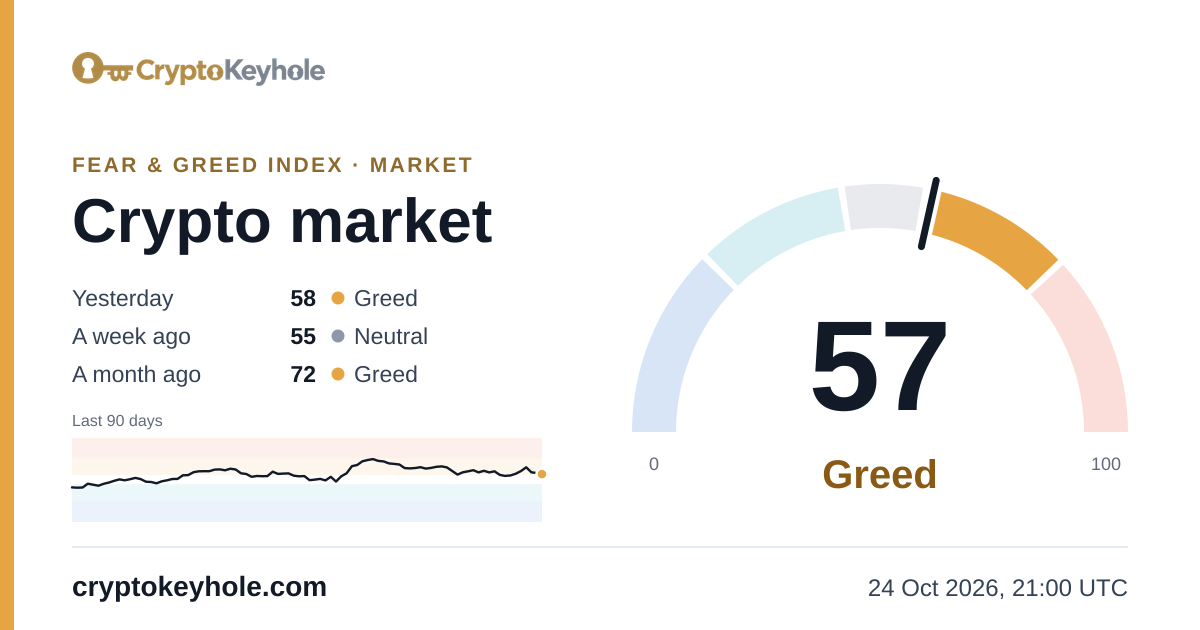
Every index has a gauge card and a compact badge, light and dark, at fixed addresses. Each image is redrawn as soon as its reading changes and prints the time of the reading it shows, so an embed stays current without any code.
| Image | Size | Address |
|---|---|---|
| Gauge card | 1200 × 630 | /fear-and-greed-index.png (market), /fear-and-greed-index/btc.png |
| Badge | 600 × 315 | /fear-and-greed-index-badge.png, /fear-and-greed-index/btc-badge.png |
| Dark | either | add -dark: /fear-and-greed-index/btc-dark.png, /fear-and-greed-index/btc-badge-dark.png |
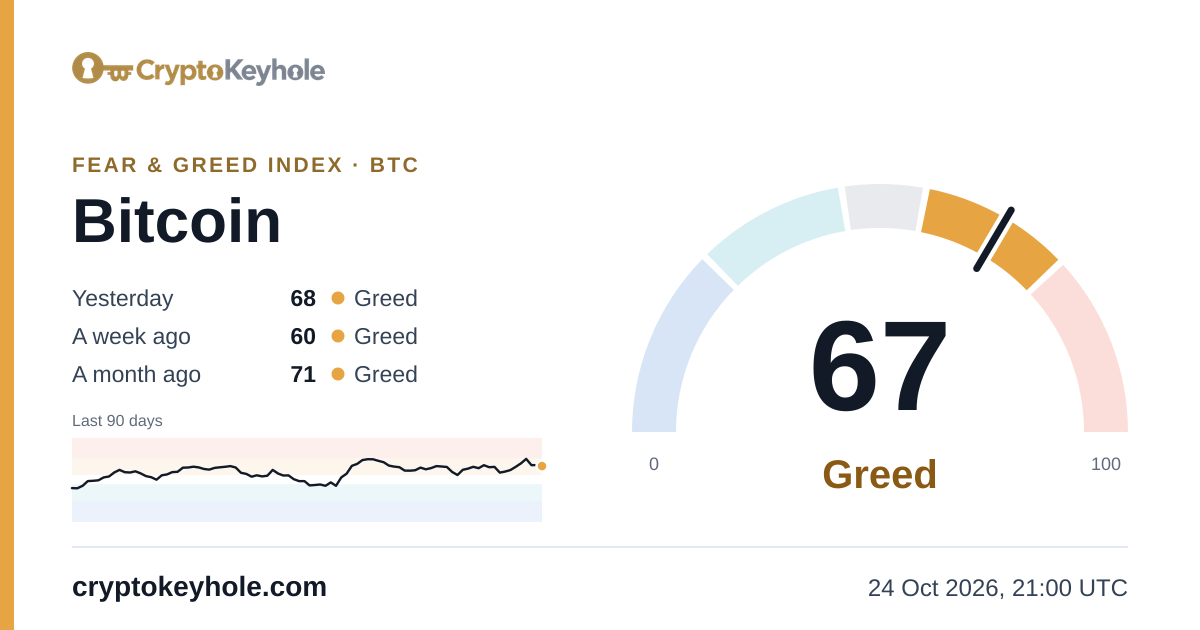
<a href="https://cryptokeyhole.com/fear-and-greed-index/btc/"><img src="https://cryptokeyhole.com/fear-and-greed-index/btc.png" width="600" height="315" alt="Bitcoin Fear & Greed Index by CryptoKeyhole" loading="lazy"></a>[](https://cryptokeyhole.com/fear-and-greed-index/btc/)[url=https://cryptokeyhole.com/fear-and-greed-index/btc/][img]https://cryptokeyhole.com/fear-and-greed-index/btc.png[/img][/url]The image is shown at half its size in the HTML code, so it stays sharp on high-resolution screens. Link it to the reading's page, as above, so readers can see what is behind the number.
What the index measures
The CryptoKeyhole Fear & Greed Index reads the mood of the market from 0 (extreme fear) to 100 (extreme greed). We calculate it ourselves, for the market as a whole and for each coin, from market, derivatives and on-chain data we collect, and from Wikimedia's public page views.
Each coin's reading combines up to nine components: price momentum, volatility, funding rates, open interest, taker flow, the long/short ratio, holder profit, exchange flows and attention. Each is ranked against the coin's own past two years, so a calm day for a volatile coin reads as calm. The market's reading weighs Bitcoin's index (45%), Ether's (20%), the other coins' average (15%), market breadth (10%) and stablecoin flows (10%). No social media, search trends or paid data go into it.
How it is calculated gives every component, weight and window; the API's components show today's scores.
Coins
Use any of these codes as coin, in lower or upper case; each links to the coin's own Fear & Greed page. /api/v1/fear-and-greed/coins always has the current list.
btcBitcoinethEthereumsolSolanaxrpXRPtrxTRONbnbBNBdogeDogecointonToncoinlinkChainlinkhypeHyperliquidadaCardanonearNearxlmStellarbchBitcoin CashltcLitecoinuniUniswapavaxAvalanchesuiSuihbarHedera HashgraphwldWorldcoinmntMantleshibShiba InuqntQuantenaEthenamorphoMorphoaaveAaveondoOndodotPolkadotzroLayerZeropepePepeskySKY Governance TokenarbArbitrumpolPOL (ex-MATIC)aptAptoscrvCurve DAOethfiether.fipendlePendleensEthereum Name ServicefetFetch.aildoLido DAOeigenEigenCloudspxSPX6900imxImmutableaxsAxie InfinitybatBasic Attention TokengrtThe GraphsyrupMaple FinanceflokiFlokicompCompoundsandThe SandboxapeApeCoinpromPromaltAltLayergalaGalanilNillioneraCaldera
Fair use
- Free for personal and commercial use: apps, bots, dashboards, spreadsheets, research, websites and newsletters.
- Credit with a link is appreciated: "Fear & Greed Index by CryptoKeyhole", linked to https://cryptokeyhole.com/fear-and-greed-index/ or the coin's own page.
- Please show the values as they are, and don't present the index as your own.
- No key and no limits of ours. Answers change at most every hour, so keep a copy for a few minutes rather than asking on every page view.
- We keep it running and say when a reading is late (the
delayedfield), but it comes as it is, without a guarantee.
Built something with it? Tell us on X, @Crypto_Keyhole.
Questions
Is the Fear & Greed Index API free?
Yes. There is no key, no account and no payment, for personal or commercial use. We only ask that you credit CryptoKeyhole with a link to cryptokeyhole.com/fear-and-greed-index/ wherever you show the reading.
Do I need an API key or an account?
No. Send a plain GET request to the address; nothing else is needed. Any language, spreadsheet or browser can call it, and cross-origin requests from web pages are allowed.
How often does it update?
Every hour. Today's reading is a partial (status "open") that moves as each hour's data arrives; we check for new data every ten minutes. After 00:00 UTC the day's value becomes final (status "closed"). The images are redrawn whenever their reading changes.
Is there a rate limit?
We set no limit of our own. Every answer is the same for everyone and is kept for five minutes, so asking more often than that returns the same data; once an hour is plenty. Send a User-Agent header that names your app: our network's bot protection turns away some library defaults, such as Python's urllib.
Which coins does it cover?
The whole crypto market and every coin with its own Fear & Greed page: Bitcoin, Ether, Solana, XRP and the altcoins listed on this page. /api/v1/fear-and-greed/coins lists them all with today's reading.
Can I get the full history?
Yes. limit=0 returns every day the index has, back to October 2011 for Bitcoin and the market, newest first; format=csv gives the same rows as CSV.
What do the numbers mean?
0 to 24 is extreme fear, 25 to 44 fear, 45 to 55 neutral, 56 to 75 greed and 76 to 100 extreme greed. Each reading carries its zone as a key (band: extreme-fear, fear, neutral, greed, extreme-greed) and as words (label).
How is the index calculated?
Each coin's index is the weighted mean of up to nine components from our own market, derivatives and on-chain data, each ranked against the coin's own past two years. The market index weighs Bitcoin's index, Ether's, the other coins' average, market breadth and stablecoin flows. The method gives every part and weight.
Is it the same number as on CryptoKeyhole's pages and charts?
Yes. The API reads the same store as our Fear & Greed pages and the Studio charts, so the value, its zone and its time always match what the pages show.
Can I use the images on my website, forum or Discord?
Yes. Every image is a plain PNG at a fixed address that redraws itself, so the embed codes on this page keep showing the current reading, with the time it is as of printed on the image.
Today's readingsOpen the APICreate a free account
The index is calculated by CryptoKeyhole from its own market, derivatives and on-chain data and Wikimedia's public page views. The API and the images serve exactly what our pages and charts show, each with the time of its reading.