
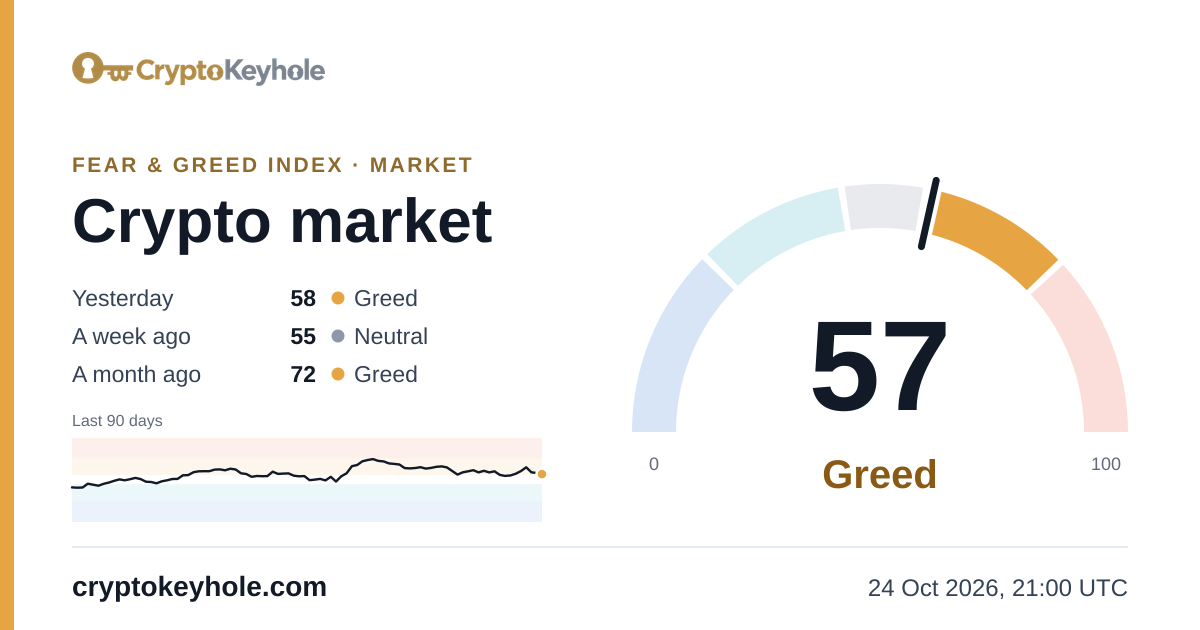
빠른 시작
코인 하나의 수치를 최근 이틀치 기록과 함께 요청합니다. coin 없이 요청하면 시장 전체 수치를 받습니다.
curl "https://cryptokeyhole.com/api/v1/fear-and-greed?coin=btc&limit=2"2026년 10월 24일 19:00 UTC에 받은 응답입니다. 스크립트가 켜져 있으면 이 자리에 실시간 응답이 표시됩니다.
{
  "index": "Bitcoin Fear & Greed Index",
  "coin": "BTC",
  "name": "Bitcoin",
  "value": 67,
  "exact": 66.74211248285322,
  "band": "greed",
  "label": "Greed",
  "date": "2026-10-24",
  "timestamp": 1792868400,
  "asOf": "2026-10-24T19:00:00Z",
  "status": "open",
  "delayed": false,
  "components": [
    {
      "key": "momentum",
      "name": "Price momentum",
      "weight": 25,
      "score": 51.02880658436214
    },
    {
      "key": "volatility",
      "name": "Volatility",
      "weight": 15,
      "score": 97.25651577503429
    },
    {
      "key": "funding",
      "name": "Funding rates",
      "weight": 15,
      "score": 81.20713305898491
    },
    {
      "key": "oi",
      "name": "Open interest",
      "weight": 10,
      "score": 86.41975308641975
    },
    {
      "key": "taker",
      "name": "Taker flow",
      "weight": 10,
      "score": 59.67078189300412
    },
    {
      "key": "lsr",
      "name": "Long/short ratio",
      "weight": 5,
      "score": 56.79012345679013
    },
    {
      "key": "profit",
      "name": "Holder profit",
      "weight": 10,
      "score": 63.648834019204386
    },
    {
      "key": "netflow",
      "name": "Exchange flows",
      "weight": 5,
      "score": 39.64334705075446
    },
    {
      "key": "attention",
      "name": "Attention",
      "weight": 5,
      "score": 28.395061728395063
    }
  ],
  "previous": {
    "yesterday": {
      "date": "2026-10-23",
      "value": 68,
      "band": "greed",
      "label": "Greed"
    },
    "lastWeek": {
      "date": "2026-10-17",
      "value": 60,
      "band": "greed",
      "label": "Greed"
    },
    "lastMonth": {
      "date": "2026-09-24",
      "value": 71,
      "band": "greed",
      "label": "Greed"
    },
    "lastYear": {
      "date": "2025-10-24",
      "value": 32,
      "band": "fear",
      "label": "Fear"
    }
  },
  "history": [
    {
      "date": "2026-10-24",
      "timestamp": 1792800000,
      "value": 67,
      "exact": 66.74211248285322,
      "band": "greed",
      "label": "Greed",
      "status": "open"
    },
    {
      "date": "2026-10-23",
      "timestamp": 1792713600,
      "value": 68,
      "exact": 67.57887517146776,
      "band": "greed",
      "label": "Greed",
      "status": "closed"
    }
  ],
  "links": {
    "page": "https://cryptokeyhole.com/fear-and-greed-index/btc/",
    "chart": "https://cryptokeyhole.com/charts/btc/?metric=ckh.KeyholeFearGreedIndex",
    "api": "https://cryptokeyhole.com/api/v1/fear-and-greed?coin=btc",
    "image": "https://cryptokeyhole.com/fear-and-greed-index/btc.png",
    "imageDark": "https://cryptokeyhole.com/fear-and-greed-index/btc-dark.png",
    "badge": "https://cryptokeyhole.com/fear-and-greed-index/btc-badge.png",
    "badgeDark": "https://cryptokeyhole.com/fear-and-greed-index/btc-badge-dark.png",
    "docs": "https://cryptokeyhole.com/fear-and-greed-index/api/"
  },
  "updatedAt": "2026-10-24T19:14:52Z",
  "source": "CryptoKeyhole",
  "credit": "Fear & Greed Index by CryptoKeyhole: https://cryptokeyhole.com/fear-and-greed-index/btc/",
  "docs": "https://cryptokeyhole.com/fear-and-greed-index/api/"
}
엔드포인트
| 요청 | 응답 |
|---|---|
GET /api/v1/fear-and-greed | 암호화폐 시장 지수: 오늘 수치, 구성 항목, 이전 수치, 최근 30일 기록. |
GET /api/v1/fear-and-greed?coin=btc | 같은 데이터를 개별 코인 기준으로 제공하며, 코인 코드는 소문자나 대문자로 지정합니다. |
GET /api/v1/fear-and-greed/coins | 시장 전체와 모든 코인의 오늘 수치를 각각의 페이지, API 주소, 이미지와 함께 제공합니다. |
GET /fear-and-greed-index.png | 시장 전체와 각 코인의 실시간 게이지 이미지: 실시간 이미지 참조. |
파라미터
| 파라미터 | 값 | 기본값 |
|---|---|---|
coin | 코인 코드(btc, ETH, sol …). 시장 전체는 market 또는 생략. 코인 목록은 아래에 있습니다. | 시장 전체 |
limit | 가져올 기록 일수(최신순). 전체 기간은 0. | 30 |
format | json, 또는 기록 행용 csv(/coins에서는 코인당 한 행). | json |
모든 주소의 기본 경로는 https://cryptokeyhole.com입니다. 오류는 JSON 형식({"error": "…"})으로 반환됩니다. 읽을 수 없는 파라미터는 400, 지수가 없는 코인은 404, 지수를 다시 계산하는 1분 동안은 503입니다(잠시 후 다시 요청하십시오).
응답 내용
| 필드 | 의미 |
|---|---|
value | 0~100 범위의 오늘 수치로, 페이지에 표시되는 값과 같습니다(반올림). |
exact | 반올림하지 않은 같은 수치. |
band, label | 구간을 키(extreme-fear, fear, neutral, greed, extreme-greed)와 문자열(“Extreme fear” … “Extreme greed”)로 나타냅니다. |
date | 수치가 속한 날짜(UTC 기준). |
timestamp, asOf | 수치의 기준 시각(Unix 초 및 ISO 8601 형식): 포함된 데이터 중 가장 최근 시간대의 끝(마감된 날은 그날의 끝). |
status | open: 현재까지의 당일 수치로, 매시간 데이터가 도착할 때마다 다시 계산됩니다. closed: 당일 확정값. |
delayed | true: 입력값이 늦어져 수치가 기준 시각보다 2시간 넘게 지난 경우. 페이지에도 그렇게 표시됩니다. |
components | 오늘의 구성 요소: key, name, weight, score(0~100). 값은 점수의 가중 평균입니다: (점수 × 가중치)의 합 ÷ 가중치의 합. |
previous | 하루 전, 일주일 전, 한 달 전, 1년 전 수치(yesterday, lastWeek, lastMonth, lastYear) 또는 null. |
history | 일별 수치(최신순): date, timestamp(UTC 기준 하루의 시작), value, exact, band, label, status. |
links | 지수의 페이지, 차트, API 주소, 이미지. |
updatedAt | 지수가 마지막으로 다시 계산된 시각. |
credit | 수치와 함께 표시할 출처 문구. |
/coins에서는 각 지수에 대해 위와 같은 value, exact, band, label, date, timestamp, asOf, status, delayed 필드와 함께 change1d(어제 대비 포인트 변화), componentCount, 그리고 page, api, image, badge 주소를 제공합니다.
예시
복사하고 붙여 넣은 뒤 실행하면 됩니다. 모든 예시는 선택한 코인에 맞게 채워집니다.
curl
비트코인 일주일치 수치를 받은 다음, jq로 오늘 값과 라벨만 뽑아냅니다.
curl "https://cryptokeyhole.com/api/v1/fear-and-greed?coin=btc&limit=7"

# today's value and label only (jq)
curl -s "https://cryptokeyhole.com/api/v1/fear-and-greed?coin=btc&limit=1" | jq -r '"\(.value) \(.label)"'
Python
표준 라이브러리만 사용합니다. User-Agent 헤더에 앱 이름을 넣으십시오.
import json
import urllib.request

URL = "https://cryptokeyhole.com/api/v1/fear-and-greed?coin=btc&limit=30"
# Name your app: some library defaults, urllib's among them, are turned away.
request = urllib.request.Request(URL, headers={"User-Agent": "my-app/1.0"})
with urllib.request.urlopen(request, timeout=30) as response:
    data = json.load(response)

print(f"{data['index']}: {data['value']}/100, {data['label']} (as of {data['asOf']})")
for day in data["history"][:7]:
    print(day["date"], day["value"], day["label"])
JavaScript
브라우저 또는 Node 18 이상에서 작동합니다. 교차 출처 요청이 허용되므로 어떤 웹페이지에서도 작동합니다.
const response = await fetch("https://cryptokeyhole.com/api/v1/fear-and-greed?coin=btc&limit=7");
const data = await response.json();

console.log(`${data.index}: ${data.value}/100, ${data.label}`);
for (const day of data.history) console.log(day.date, day.value, day.label);
Google 스프레드시트
IMPORTDATA 함수로 CSV 형식을 셀에 바로 불러옵니다. CSV에서 3열은 값, 6열은 라벨이며, 1행은 헤더, 2행은 최신 수치입니다. 다음 중 하나를 셀에 붙여 넣습니다:
=INDEX(IMPORTDATA("https://cryptokeyhole.com/api/v1/fear-and-greed?coin=btc&limit=1&format=csv"), 2, 3)=INDEX(IMPORTDATA("https://cryptokeyhole.com/api/v1/fear-and-greed?coin=btc&limit=1&format=csv"), 2, 6)=IMPORTDATA("https://cryptokeyhole.com/api/v1/fear-and-greed?coin=btc&limit=30&format=csv")=IMPORTDATA("https://cryptokeyhole.com/api/v1/fear-and-greed/coins?format=csv")IMPORTJSON처럼 나만의 함수를 쓰려면 이 코드를 확장 프로그램 → Apps Script에 붙여 넣고 저장한 다음, 아무 셀에나 =FEARGREED("btc") 형태로 입력합니다.
/**
 * The Fear & Greed Index from CryptoKeyhole: =FEARGREED("btc"), or =FEARGREED() for the whole market.
 * Returns the value, its label and the time it is as of, in one row.
 * @customfunction
 */
function FEARGREED(coin) {
  const url = "https://cryptokeyhole.com/api/v1/fear-and-greed?limit=1&coin=" + encodeURIComponent(coin || "");
  const data = JSON.parse(UrlFetchApp.fetch(url).getContentText());
  return [[data.value, data.label, data.asOf]];
}
Discord 봇
어떤 코인이든 시장 전체든 수치와 게이지 이미지로 응답하는 /feargreed 명령어입니다. 봇 토큰을 입력하고 applications.commands 스코프로 봇을 초대합니다.
# A /feargreed slash command (discord.py 2 and aiohttp): pip install discord.py aiohttp
import aiohttp
import discord
from discord import app_commands

API = "https://cryptokeyhole.com/api/v1/fear-and-greed"
client = discord.Client(intents=discord.Intents.default())
tree = app_commands.CommandTree(client)

@tree.command(name="feargreed", description="Crypto Fear & Greed Index from CryptoKeyhole")
@app_commands.describe(coin="A coin such as btc or eth; leave it empty for the whole market")
async def feargreed(interaction: discord.Interaction, coin: str = ""):
    async with aiohttp.ClientSession(headers={"User-Agent": "my-discord-bot/1.0"}) as session:
        async with session.get(API, params={"coin": coin, "limit": "1"}) as response:
            data = await response.json()
    if "error" in data:
        await interaction.response.send_message(data["error"], ephemeral=True)
        return
    embed = discord.Embed(title=data["index"], url=data["links"]["page"],
                          description=f"**{data['value']}/100: {data['label']}**")
    # A new address for each reading, so Discord shows the current image rather than one it kept
    embed.set_image(url=f"{data['links']['image']}?t={data['timestamp']}")
    embed.set_footer(text="Fear & Greed Index by CryptoKeyhole · cryptokeyhole.com")
    await interaction.response.send_message(embed=embed)

@client.event
async def on_ready():
    await tree.sync()

client.run("YOUR_BOT_TOKEN")
웹사이트 위젯
어떤 페이지에든 넣을 수 있는 한 줄짜리 텍스트로, 현재 수치를 보여주고 해당 수치 페이지로 연결됩니다. 이미지로 표시하려면 이미지 임베드를 사용하면 됩니다.
<a id="ckh-fear-greed" href="https://cryptokeyhole.com/fear-and-greed-index/btc/" target="_blank" rel="noopener"
style="display:inline-flex;gap:8px;align-items:baseline;font:15px/1.4 system-ui,sans-serif;color:inherit;text-decoration:none">
Bitcoin Fear & Greed Index: <strong>…</strong> <small style="opacity:.7">by CryptoKeyhole</small>
</a>
<script>
fetch("https://cryptokeyhole.com/api/v1/fear-and-greed?coin=btc&limit=1")
.then((response) => response.json())
.then((data) => {
document.querySelector("#ckh-fear-greed strong").textContent = data.value + "/100 · " + data.label;
});
</script>실시간 이미지와 임베드
모든 지수에는 고정 주소의 게이지 카드와 소형 배지가 라이트·다크 테마로 제공됩니다. 각 이미지는 수치가 바뀌는 즉시 다시 그려지고 표시된 수치의 기준 시각이 함께 찍히므로, 별도의 코드 없이도 임베드가 항상 최신 상태로 유지됩니다.
| 이미지 | 크기 | 주소 |
|---|---|---|
| 게이지 카드 | 1200 × 630 | /fear-and-greed-index.png(시장 전체), /fear-and-greed-index/btc.png |
| 배지 | 600 × 315 | /fear-and-greed-index-badge.png, /fear-and-greed-index/btc-badge.png |
| 다크 | 둘 다 | -dark 추가: /fear-and-greed-index/btc-dark.png, /fear-and-greed-index/btc-badge-dark.png |
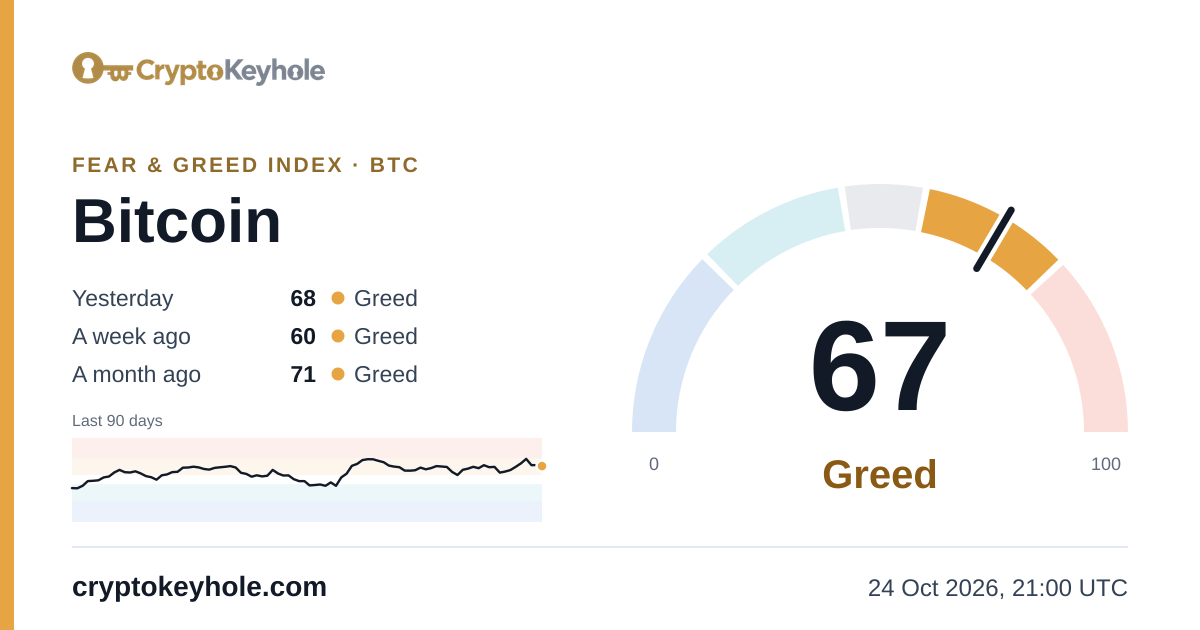
<a href="https://cryptokeyhole.com/fear-and-greed-index/btc/"><img src="https://cryptokeyhole.com/fear-and-greed-index/btc.png" width="600" height="315" alt="Bitcoin Fear & Greed Index by CryptoKeyhole" loading="lazy"></a>[](https://cryptokeyhole.com/fear-and-greed-index/btc/)[url=https://cryptokeyhole.com/fear-and-greed-index/btc/][img]https://cryptokeyhole.com/fear-and-greed-index/btc.png[/img][/url]HTML 코드에서는 이미지를 원래 크기의 절반으로 표시하므로 고해상도 화면에서도 선명하게 보입니다. 위 예시처럼 이미지를 해당 수치 페이지에 링크해 두면, 독자가 숫자의 근거를 확인할 수 있습니다.
지수가 측정하는 것
CryptoKeyhole 공포 탐욕 지수는 시장 분위기를 0(극단적 공포)부터 100(극단적 탐욕)까지의 수치로 나타냅니다. CryptoKeyhole은 직접 수집한 시장·파생상품·온체인 데이터와 위키미디어 공개 페이지 조회수로 시장 전체와 각 코인의 지수를 계산합니다.
각 코인의 수치는 최대 9개의 구성 요소를 결합합니다: 가격 모멘텀, 변동성, 펀딩비, 미결제약정, 테이커 거래 흐름, 롱숏 비율, 보유자 수익, 거래소 입출금 흐름, 관심도. 각 구성 요소는 해당 코인의 지난 2년과 비교해 순위를 매기므로, 변동성이 큰 코인이라도 잠잠한 날은 잠잠하게 나타납니다. 시장 수치는 비트코인 지수(45%), 이더리움 지수(20%), 기타 코인 평균(15%), 시장 폭(10%), 스테이블코인 흐름(10%)에 가중치를 둡니다. 소셜 미디어, 검색 트렌드, 유료 데이터는 사용하지 않습니다.
계산 방법에서 모든 구성 요소와 가중치, 계산 기간을 확인할 수 있으며, API의 components 필드에 오늘의 점수가 나옵니다.
코인
아래 코드를 coin 값으로 사용하면 되며, 소문자와 대문자 모두 가능합니다. 각 코드는 해당 코인의 공포 탐욕 지수 페이지로 연결됩니다. 최신 목록은 항상 /api/v1/fear-and-greed/coins에서 확인할 수 있습니다.
btc비트코인eth이더리움sol솔라나xrpXRPtrx트론bnbBNBdoge도지코인ton톤코인link체인링크hype하이퍼리퀴드ada에이다near니어프로토콜xlm스텔라루멘bch비트코인캐시ltc라이트코인uni유니스왑avax아발란체sui수이hbar헤데라wld월드코인mnt맨틀shib시바이누qntQuantena에테나morphoMorphoaave에이브ondo온도파이낸스dot폴카닷zro레이어제로pepe페페skySKY 거버넌스 토큰arb아비트럼polPOL(구 MATIC)apt앱토스crvCurve DAOethfi이더파이pendle펜들ens이더리움 네임 서비스fetFetch.aildoLido DAOeigenEigenCloudspxSPX6900imxImmutableaxs엑시인피니티bat베이직어텐션토큰grt더그래프syrupMaple Financefloki플로키comp컴파운드sand샌드박스ape에이프코인promPromalt알트레이어gala갈라nilNillioneraCaldera
공정 이용
- 개인적·상업적 용도 모두 무료입니다: 앱, 봇, 대시보드, 스프레드시트, 연구, 웹사이트, 뉴스레터.
- 링크와 함께 출처를 밝혀 주시면 감사하겠습니다: “CryptoKeyhole 공포 탐욕 지수”라고 표기하고 https://cryptokeyhole.com/fear-and-greed-index/ 또는 해당 코인 페이지로 링크해 주십시오.
- 값은 있는 그대로 표시해 주시고, 지수를 직접 만든 것처럼 소개하지 말아 주십시오.
- API 키가 필요 없으며, 자체적으로 두는 이용 제한도 없습니다. 응답은 많아야 1시간에 한 번 바뀌므로, 페이지가 열릴 때마다 요청하기보다는 몇 분 동안 결과를 저장해 두고 사용하십시오.
- 서비스를 계속 운영하며 수치가 늦어지면 이를 알려 드리지만(
delayed필드), 별도의 보증 없이 있는 그대로 제공됩니다.
이 API로 무언가를 만드셨나요? X의 @Crypto_Keyhole 계정으로 알려 주십시오.
자주 묻는 질문
공포 탐욕 지수 API는 무료인가요?
네, 가능합니다. 개인적 용도든 상업적 용도든 API 키, 계정, 결제가 모두 필요 없습니다. 수치를 표시하는 곳에 cryptokeyhole.com/fear-and-greed-index/ 링크와 함께 CryptoKeyhole을 출처로 밝혀 주시기만 하면 됩니다.
API 키나 계정이 필요한가요?
아니요. 해당 주소로 간단한 GET 요청만 보내면 되며, 그 외에는 아무것도 필요 없습니다. 어떤 언어, 스프레드시트, 브라우저에서도 호출할 수 있으며, 웹페이지의 교차 출처 요청도 허용됩니다.
얼마나 자주 업데이트되나요?
매시간 업데이트됩니다. 오늘 수치는 중간 집계(status “open”)로 매시간 데이터가 도착할 때마다 바뀌며, 새 데이터는 10분마다 확인합니다. 00:00 UTC 이후에는 그날의 값이 확정됩니다(status “closed”). 이미지는 수치가 바뀔 때마다 다시 그려집니다.
요청 횟수 제한이 있나요?
자체적으로 두는 제한은 없습니다. 모든 응답은 누구에게나 같고 5분 동안 보관되므로, 그보다 자주 요청해도 같은 데이터가 반환됩니다. 1시간에 한 번이면 충분합니다. 앱 이름을 담은 User-Agent 헤더를 보내십시오. CryptoKeyhole 네트워크의 봇 차단 기능이 Python의 urllib 같은 일부 라이브러리 기본값을 거부하기 때문입니다.
어떤 코인을 지원하나요?
암호화폐 시장 전체와, 공포 탐욕 지수 페이지가 있는 모든 코인입니다. 비트코인, 이더리움, 솔라나, XRP, 그리고 이 페이지에 나열된 알트코인이 해당합니다. /api/v1/fear-and-greed/coins에서 전체 목록을 오늘 수치와 함께 볼 수 있습니다.
전체 기록을 받을 수 있나요?
네, 가능합니다. limit=0 요청 시 지수의 모든 날짜를 최신순으로 반환하며, 비트코인과 시장 전체는 2011년 10월까지 거슬러 올라갑니다. format=csv 사용 시 같은 행을 CSV로 받을 수 있습니다.
각 수치는 무엇을 의미하나요?
극단적 공포는 0~24, 공포는 25~44, 중립은 45~55, 탐욕은 56~75, 극단적 탐욕은 76~100입니다. 각 수치에는 구간이 키(band: extreme-fear, fear, neutral, greed, extreme-greed)와 문자열(label)로 함께 담깁니다.
지수는 어떻게 계산하나요?
각 코인의 지수는 자체 시장·파생상품·온체인 데이터에서 얻은 최대 9개 구성 요소의 가중 평균이며, 각 구성 요소는 해당 코인의 지난 2년과 비교해 순위를 매깁니다. 시장 지수는 비트코인 지수, 이더리움 지수, 기타 코인 평균, 시장 폭, 스테이블코인 흐름에 가중치를 두어 계산합니다. 산출 방법에서 모든 구성 항목과 가중치를 확인할 수 있습니다.
CryptoKeyhole 페이지와 차트의 수치와 같은가요?
네, 가능합니다. API는 공포 탐욕 지수 페이지 및 Studio 차트와 같은 저장소를 읽으므로, 값과 구간, 기준 시각이 항상 페이지에 표시된 것과 일치합니다.
이미지를 웹사이트, 포럼, Discord에서 사용해도 되나요?
네, 가능합니다. 모든 이미지는 고정 주소에서 스스로 다시 그려지는 일반 PNG이므로, 이 페이지의 임베드 코드는 기준 시각이 이미지에 찍힌 현재 수치를 계속 보여줍니다.
지수는 CryptoKeyhole이 자체 시장·파생상품·온체인 데이터와 위키미디어 공개 페이지 조회수로 계산합니다. API와 이미지는 페이지 및 차트에 표시되는 내용을 각 수치의 기준 시각과 함께 그대로 제공합니다.